The Directory Map is the fastest way to see New Jersey's cannabis businesses and venues by location instead of scrolling a list. It's a top-level item in the main menu — look for 🗺️ Map — or go straight to njlegalize.me/map. No account is required.
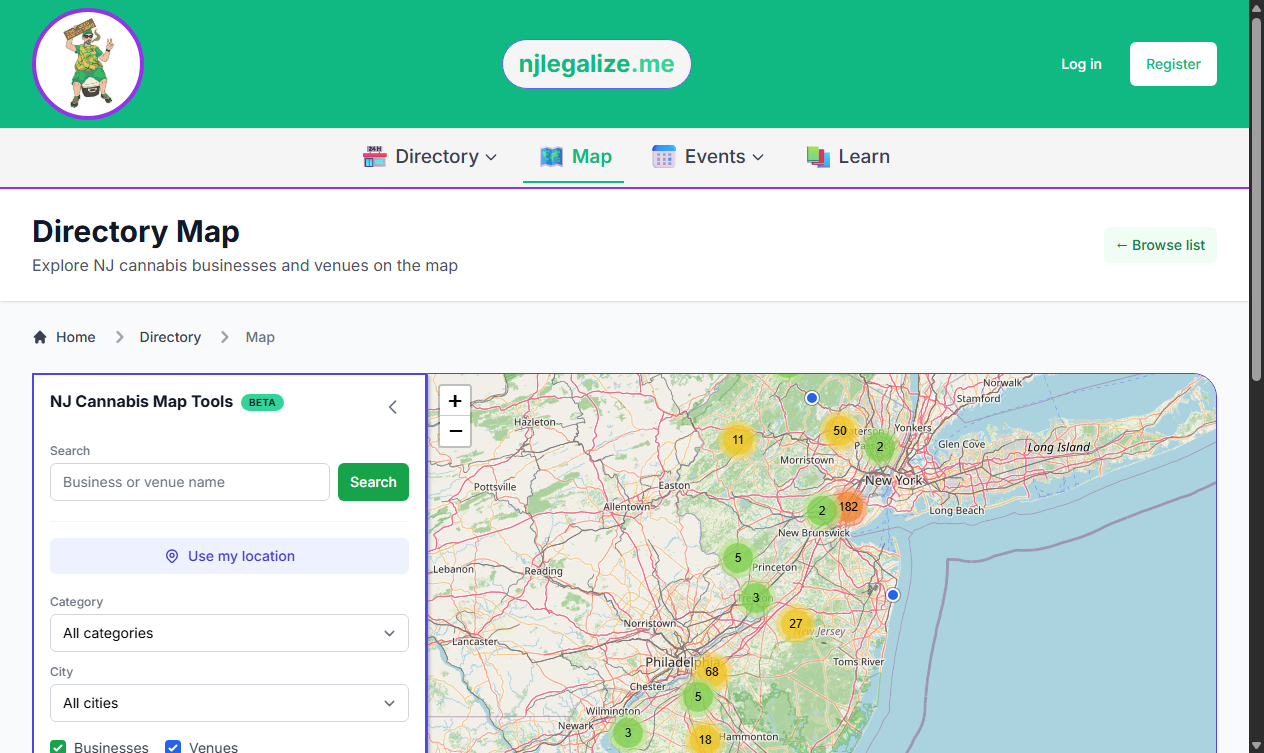
Reading the Map
Each pin marks a location with a known address. The map key in the tools panel explains the colors:
- Green pins — cannabis businesses
- Blue pins — event venues
- Numbered circles — clusters of several nearby locations; zoom in or click the cluster to expand them into individual pins
Click any pin to see the business or venue name and a link through to its full listing. The counter near the bottom of the tools panel shows how many of the total locations are currently in view.
Search Near You
The map can center on wherever you are. In the NJ Cannabis Map Tools panel, click Use my location and allow your browser's location prompt. Once you're located within New Jersey, a row of search radius buttons (in miles) appears — pick one to show only the businesses and venues within that distance of you. A blue "You are here" pin marks your position, and a Clear link returns you to the statewide view.
If you're outside New Jersey, or you decline the location prompt, the map simply shows the full statewide view instead.
Filter What You See
The tools panel offers the same filters as the list Directory, applied to the map:
- Search — type a business or venue name to find matching pins
- Category — narrow to a single business category or subcategory
- City — limit results to one New Jersey city
- Businesses / Venues — toggle either layer on or off (venues have no category, so clear the category filter to show them)
Click Apply Filters to update the map, or Reset to clear everything and start over.
Show or Hide the Tools
Want the map as large as possible? Collapse the tools panel with the arrow in its top corner and the map expands to fill the width. Click Show Map Tools to bring the panel back. The Beta badge on the panel means we're still refining these tools — feedback is welcome.
Map Data
The Directory Map is powered by OpenStreetMap, and pins reflect businesses and venues with known locations. If a business you expect is missing, its listing may not have a mapped address yet — you can still find it in the list Directory, and if it isn't listed at all you can request it be added.
Prefer a List?
The map and the list are two views of the same directory. To browse by category with sorting and detailed filters, use the Business Directory — see How to Search and Filter the Business Directory.