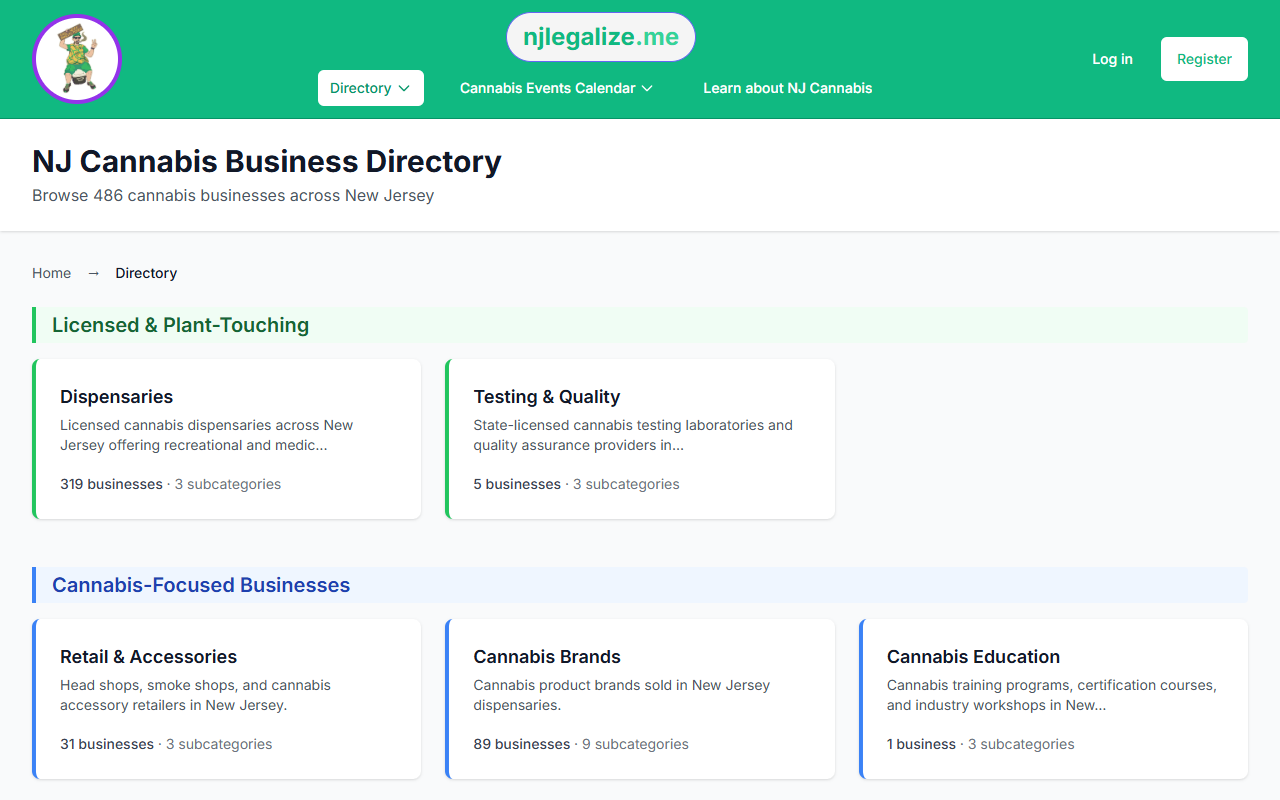
The njlegalize.me Business Directory lists hundreds of New Jersey cannabis businesses across a wide range of categories. Whether you're looking for a specific dispensary, a cannabis attorney, a delivery service, or a doctor who certifies medical patients, the Directory has search and filter tools to help you zero in quickly.
Step 1: Start at the Directory Homepage
Go to njlegalize.me/directory. The Directory homepage shows all top-level business categories — Dispensaries, Medical Doctors, Cannabis Attorneys, Delivery Services, Testing Labs, and more — each with a count of how many businesses are listed in that category.
Click a category tile to see the businesses within it.
Step 2: Use Subcategories to Narrow Your Search
Many categories have subcategories. For example, within Dispensaries you might find subcategories for Recreational, Medical, or Delivery-only. The subcategory filter appears as a row of options at the top of the listing — click one to show only businesses in that subcategory. Click All to clear the subcategory filter.
Step 3: Search by Business Name
Use the Search text box in the left filter panel to look up a specific business by name. Results update as you type and submit. If you're not sure of the exact name, try a partial match — searching "green" will return any business with "green" in its name within the current category.
Step 4: Filter by City
Use the City dropdown to limit results to businesses in a specific New Jersey city. Only cities that have listings in the current category will appear in the dropdown, so the list stays relevant. Select a city and the page will refresh with filtered results.
Step 5: Sort the Results
The Sort dropdown lets you choose how results are ordered:
- Rating — businesses with higher Google ratings appear first
- Name (A–Z) — alphabetical order by business name
Sorting by Rating is useful when you want the highest-reviewed option in a category. Sorting by Name is handy when you're scanning for a specific business you already know.
Clearing Filters
At the bottom of the filter panel, there's a Clear Filters link that resets all active filters and returns you to the full category listing. Use this if you want to start a fresh search within the same category.
Step 6: Switch to the Map
Prefer a geographic view? The Directory Map is now its own top-level menu item — 🗺️ Map — at /map. It has its own category and city filters plus a Use my location radius search, so you can see which businesses are near you, zoom into clusters, and pan across New Jersey. Premium subscribers appear with featured visibility on the map as well as in list view.
For a full walkthrough of the map's tools, see our guide: How to Use the Directory Map.
Tips for Finding What You Need
- If you don't find a business in one category, check related categories — some businesses operate across multiple types
- Featured businesses (Premium subscribers) appear at the top of listings and on the map with additional visibility
- If a business you're looking for isn't listed, you can request it be added