Reviews on njlegalize.me help other consumers know what to expect from a business before they visit — and they help businesses hear directly from their customers. Here's how to leave one, and what happens after you do.
You'll need a free account with a verified email to leave a review. Business owners can't review their own listing.
Step 1: Find the Community Rating Section
On any business listing page, scroll down to the Community Rating section. This is separate from the Google rating shown elsewhere on the page — it's built from reviews left directly by njlegalize.me members.
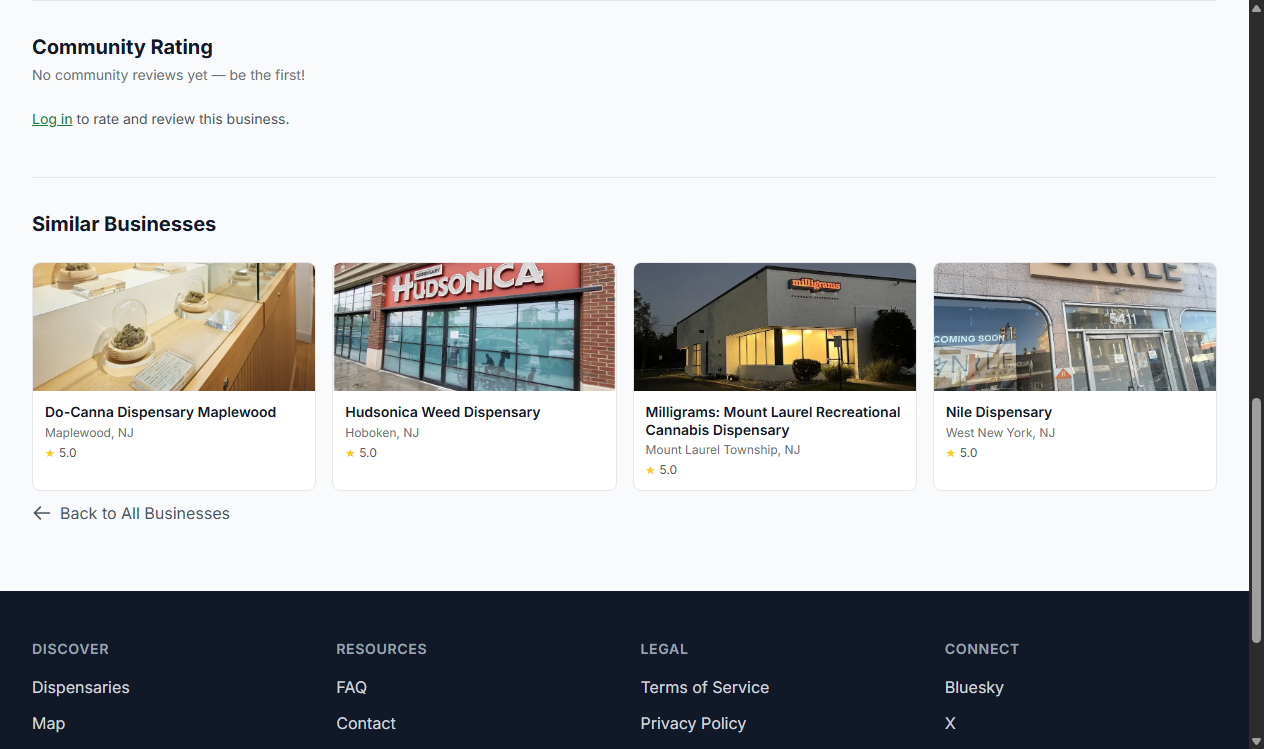
Step 2: Leave a Rating and, Optionally, a Written Review
Choose a star rating from 1 to 5. Adding written feedback is optional — up to 2,000 characters — but it earns you extra Pineapple Points and gives other visitors more context than a rating alone. Click submit and your review goes live immediately.
You Can Only Review a Business Once
Each account can leave one review per business. If you've already reviewed a listing, you'll see your review displayed instead of the review form.
Editing or Removing Your Review
You can't edit a review from the business page itself. Instead, go to the My Reviews section of your account dashboard, where every review you've written is listed along with its status. Click Edit to update your rating or written feedback in place.
To remove a review entirely, use the Remove button on your review card directly on the business page. Removing a review claws back any Pineapple Points it earned.
What Happens After You Submit
Your review is published right away — there's no waiting period. The business owner (if the listing is claimed) gets an email notifying them of your review, and they may post a public reply underneath it. If a review is later flagged by our moderation team for violating guidelines, its status will change and it may no longer be publicly visible; you'll see the status and reason on your My Reviews dashboard.
Earning Pineapple Points
Rating a business earns you Pineapple Points, and adding written feedback earns you a bonus on top of that. See How to Earn and Use Pineapple Points for the full list of ways to earn.