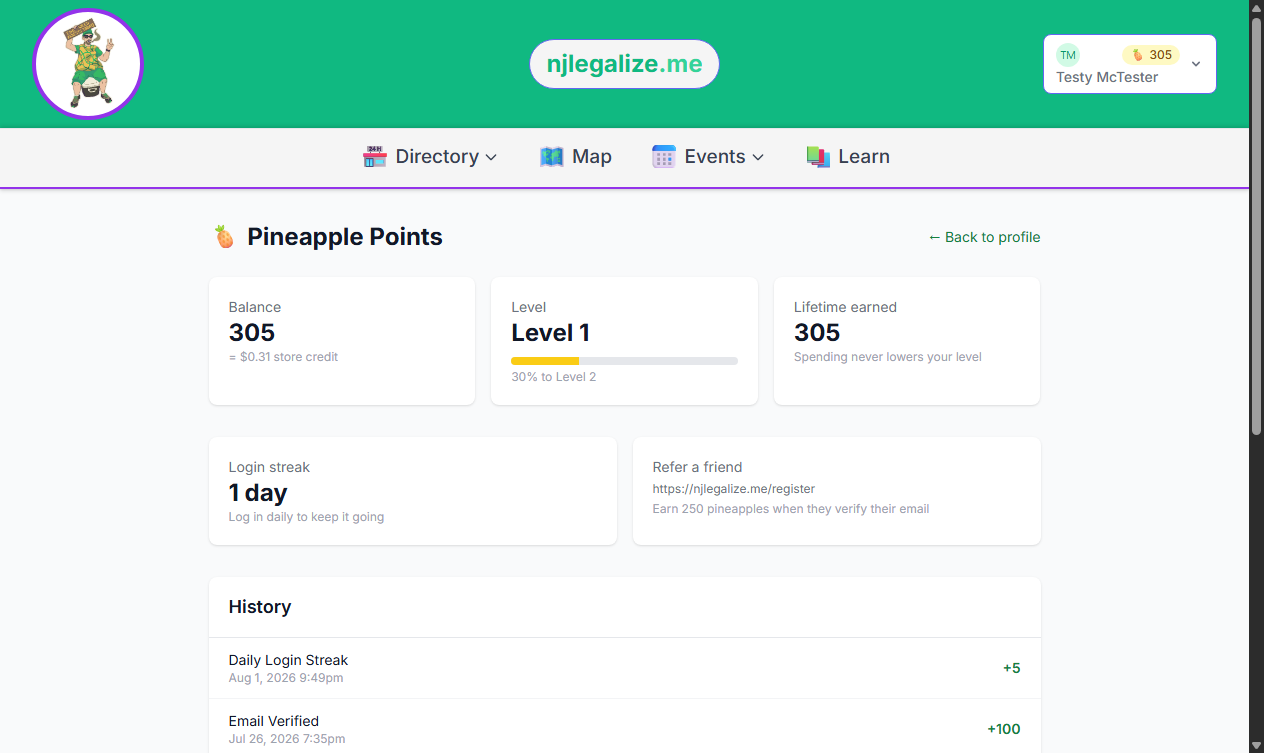
Pineapple Points 🍍 are njlegalize.me's built-in rewards program. You earn points automatically just for using the site — leaving a review, RSVPing to an event, claiming your business, and more — and you can spend them as store credit in the njlegalize.me Store. No account required to browse, but you do need a free account to start earning.
How to Earn Points
Points are awarded the moment you complete a qualifying action — nothing to redeem or activate, it just happens. Here's what currently earns points:
- Creating and verifying your account — 300 points, awarded once you confirm your email
- Completing your profile (adding a bio and photo) — 150 points
- Subscribing to the newsletter — 50 points
- Submitting an event to the calendar — 100 points, plus 400 more once we publish it
- Getting a business or event claim approved — 500 or 300 points
- RSVPing to an event — 50 points (see How to RSVP to an Event)
- Favoriting a business, event, or venue — 25 points
- Rating your attendance after an event you RSVP'd to — 75 points
- Reading an article in the Learn section — 10 points, once per article
- Rating or reviewing a business — 100 points for a star rating, 150 for a written review
- Searching the map, directory, venues, or Learn section — 5 points each, once per day
- Clicking through to a business's website, phone number, directions, or social link — 5 points each, once per day
- Clicking an affiliate link — 10 points, once per day
- Sharing an article, business, venue, event, or store product — 20 points each, once per item
- Logging in on a streak — 5 points daily, plus bonuses of 10 points at 7 days, 25 points at 30 days, and 50 points at 90 days
- Referring a friend who signs up and verifies their email — 250 points
A few of these can be reversed if the thing that earned them is later removed — for example, if you delete a review you wrote, the points it earned are taken back too.
Checking Your Balance
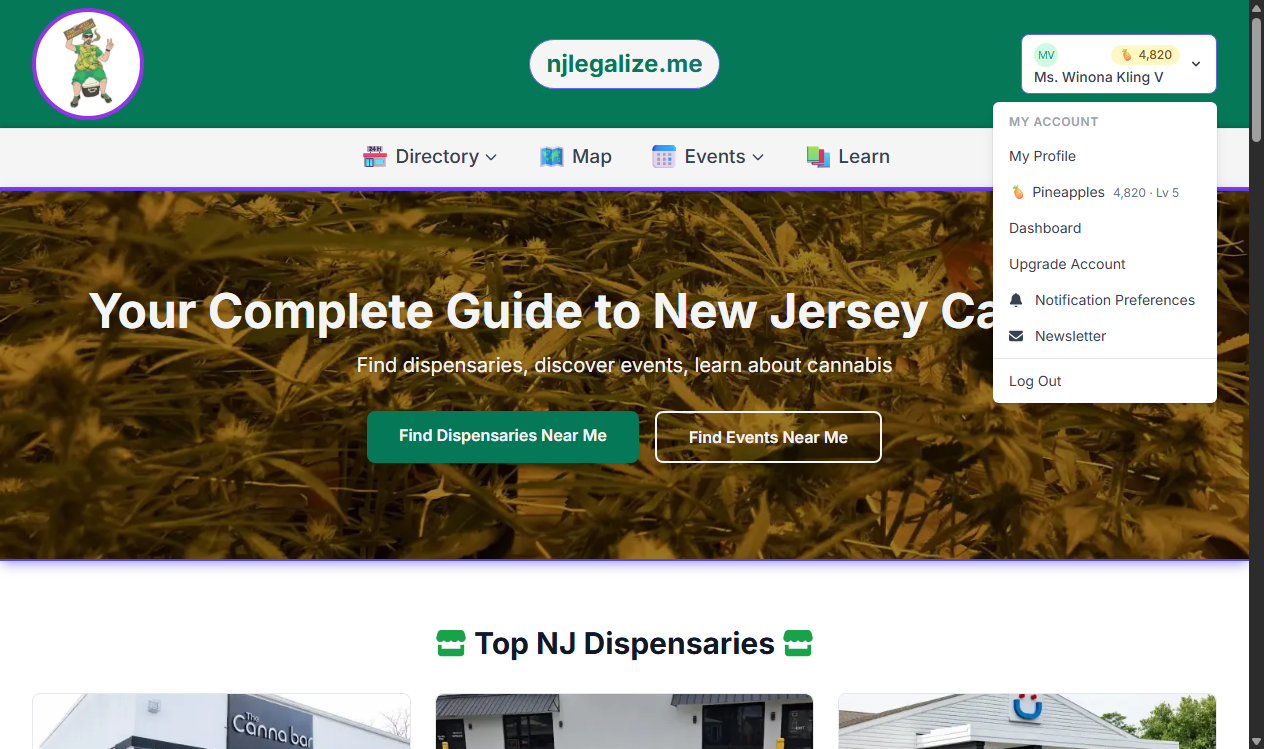
Your current point balance is always visible in the 🍍 icon in the site navigation once you're logged in. Click it — or visit your profile's Pineapple Points section — to see your full balance, your level, and a complete history of every point you've earned or spent.
Redeeming Points at Checkout
Pineapple Points convert to store credit at a fixed rate: 1,000 points = $1. Right now, the Store runs on points only — there's no credit card option — so your balance needs to fully cover your order total before you can complete checkout. If you're short, the checkout page tells you exactly how many more points you need.
Because every order right now is paid entirely in points, there's currently no sales tax and shipping is free on every order.
What "Paid with Pineapples" Means
Once you complete an order, you'll see a Paid with Pineapples label on your cart, your order confirmation page, and in your confirmation email. It just confirms your order was covered by your point balance rather than real currency.
Start Earning
The fastest ways to build up a balance: create a free account if you haven't already, complete your profile, and start RSVPing to events and reviewing businesses you've visited. Every bit of activity on the site adds up toward your next redemption.