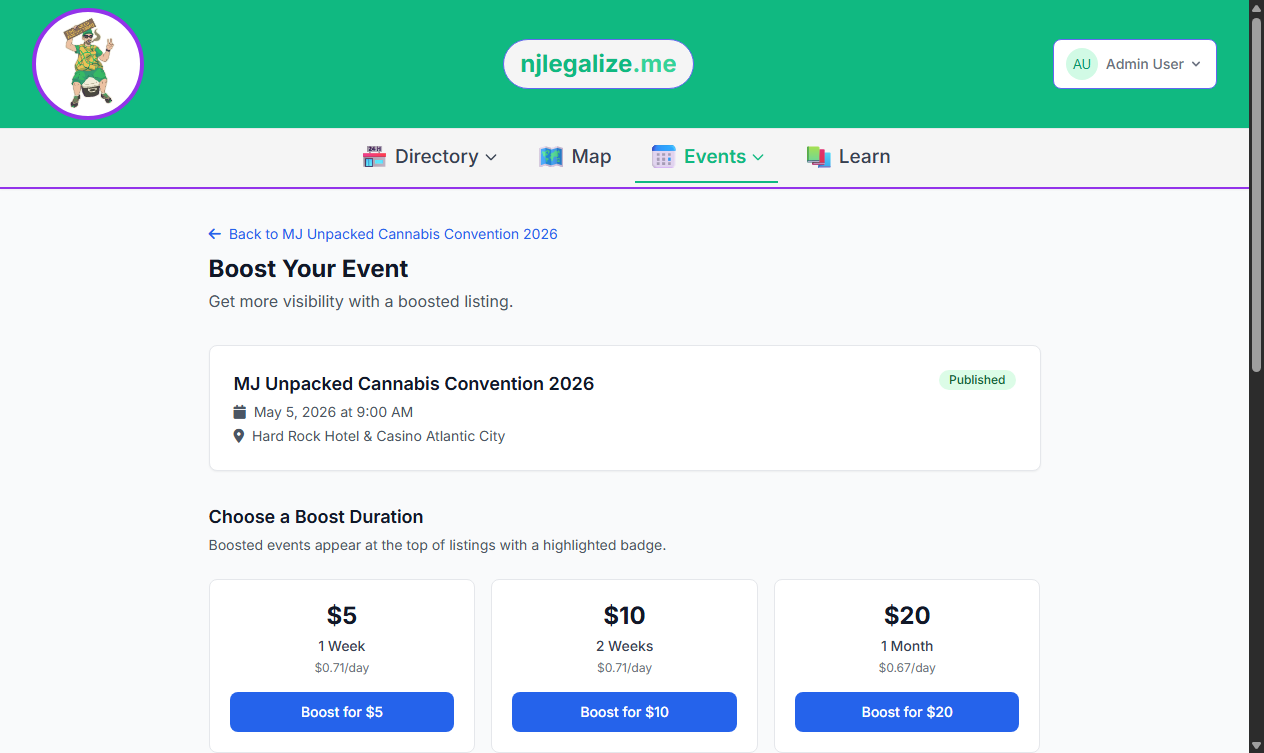
Event Boost is a visibility tool on njlegalize.me that promotes your event to the top of the Events Calendar and gives it additional prominence in category and city views. If you're running an event with limited capacity or want to drive more RSVPs before the date, a Boost is the fastest way to increase exposure.
To boost an event, you must be the verified owner of a published event on the platform.
How Boosting Works
Boosted events are surfaced ahead of non-boosted events in calendar listings. Only one active boost can run per event at a time — you can boost again once the current boost period ends.
There are two ways to boost an event: with a subscription boost (included in the Premium plan) or with a paid one-time boost.
Step 1: Navigate to Your Event
Log in and go to the event detail page for the event you want to boost. The event must be in Published status — draft events cannot be boosted.
Step 2: Open the Boost Page
On the event detail page, click the Boost This Event button. This takes you to the Boost options page at /events/{event}/boost.
Option A: Use a Subscription Boost (Premium)
If you have an active Premium subscription with remaining free boosts for the current month, you'll see that option at the top of the page. Subscription boosts last 30 days and are free as part of your plan — Premium includes 1 free boost per month.
Click Use Subscription Boost to apply it immediately. No payment required.
Option B: Purchase a One-Time Paid Boost
Any event owner can purchase a paid boost, regardless of subscription tier. Choose the duration that fits your timeline:
- 1 Week — $5.00
- 2 Weeks — $10.00
- 1 Month — $20.00
- 2 Months — $35.00
- 3 Months — $50.00
Select your preferred duration and click Purchase Boost. You'll be redirected to PayPal to complete the payment using your PayPal balance, linked bank account, or credit card. After payment is approved, you'll return to your event page and the boost will be active immediately.
Step 3: Confirm the Boost Is Active
Once your boost is live, the event detail page will show the active boost status including the expiration date. Your event will now appear at the top of relevant calendar views for the duration of the boost.
Tips for Getting the Most from a Boost
- Boost at least 1–2 weeks before your event date so the visibility window overlaps with when people are making plans
- Make sure your event has a complete description and a strong image before boosting — visibility only helps if the listing converts to RSVPs
- For recurring events, a longer boost tier (2–3 months) can be more cost-effective than purchasing a new boost each cycle
Want to include monthly boosts in your plan? See Understanding Subscription Plans on njlegalize.me.