If your cannabis business is already in the njlegalize.me Directory but you haven't claimed it yet, you're missing out. Claiming your listing gives you control over what customers see: your description, photos, contact info, hours, and more. Here's how to do it.
Step 1: Find Your Business in the Directory
Go to the Business Directory and search for your business by name or browse your category. Once you find your listing, click through to the full business detail page.
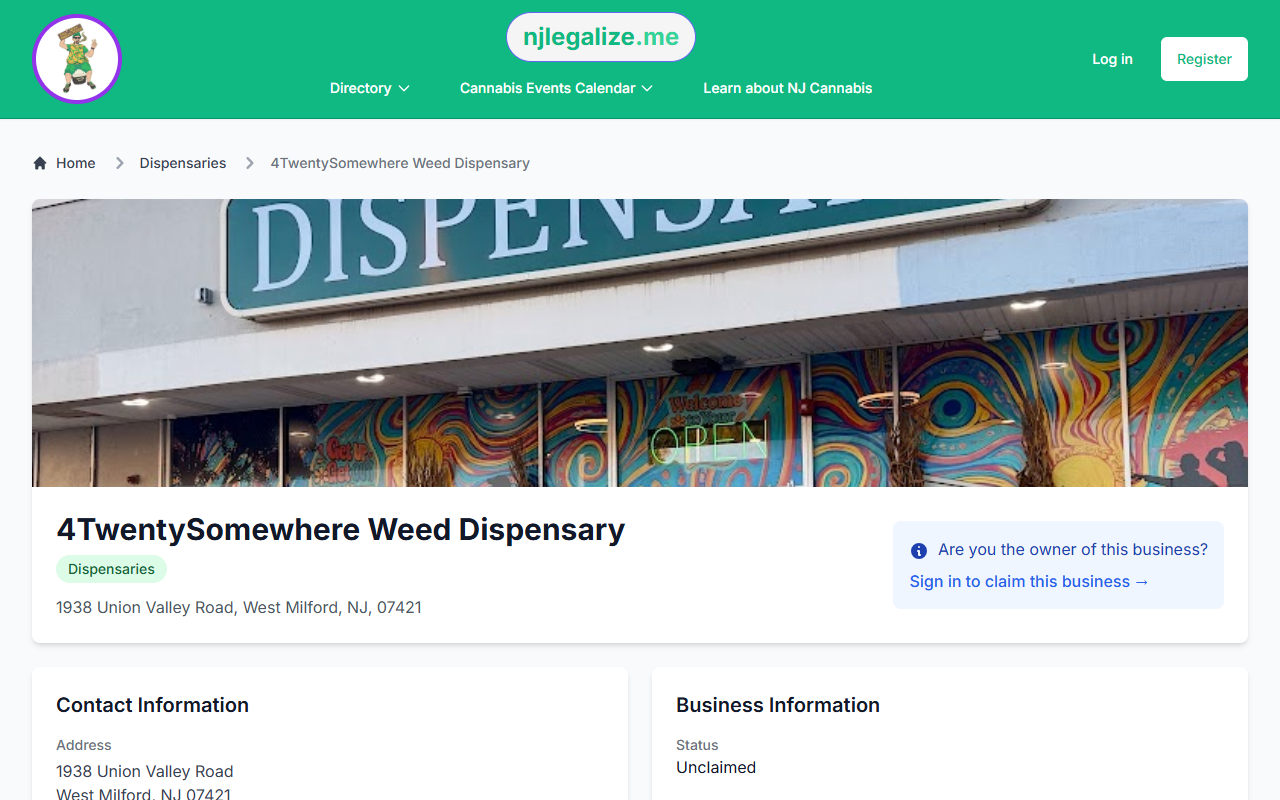
Step 2: Click the Claim Prompt
On the business detail page, look for the "Are you the owner of this business?" message. Click "Sign in to claim this business" to begin.
Step 3: Log In or Create an Account
You'll need a verified njlegalize.me account to submit a claim. If you don't have one yet, register for free — it only takes a couple of minutes. See our guide: How to Create a New User Account.
Step 4: Complete the Claim Form
Once logged in, you'll be taken to the claim form. The page shows your verified account email and a live Approval Confidence score — you need to reach 90% before you can submit (unless instant approval applies; see Step 5).
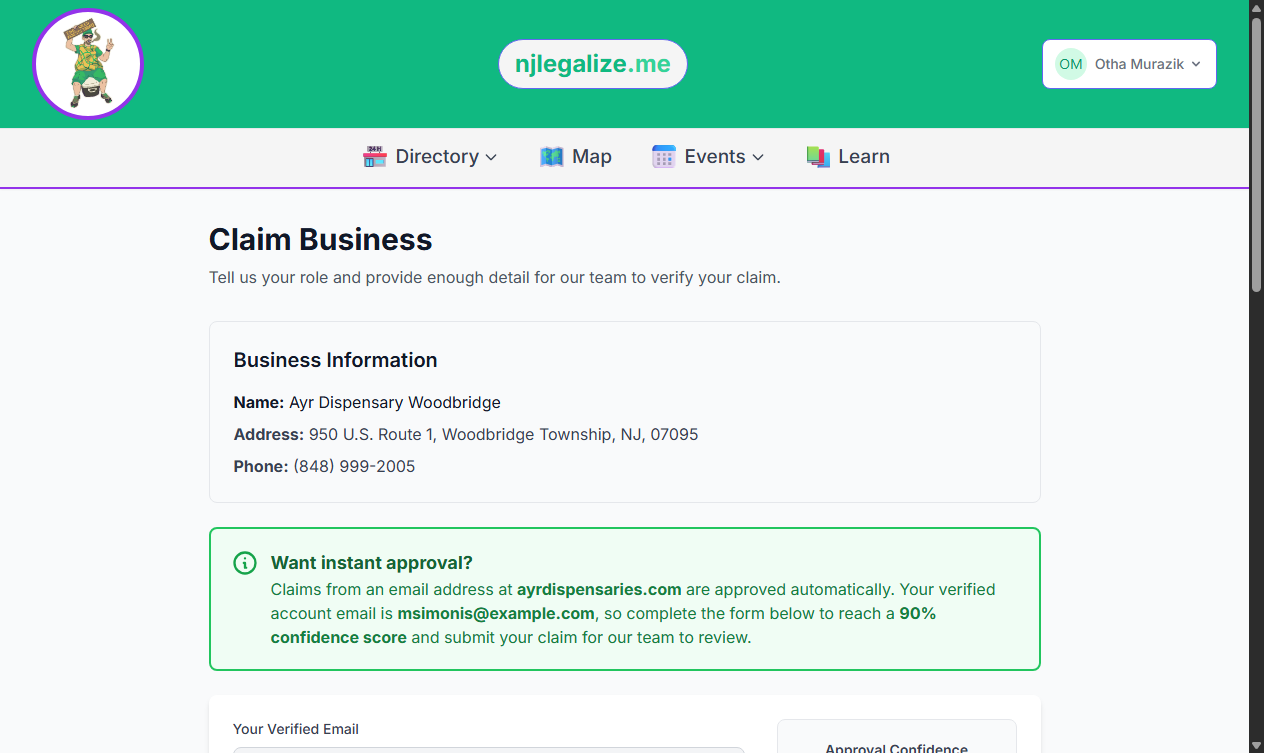
Fill in:
- Your name — pre-filled from your account
- Phone number — a reachable number adds to your confidence score
- Your role at this business — select Owner, Manager, Authorized Representative, or another option
- Explain your connection — describe your relationship to the business (title, tenure, and verification details). A thorough explanation is the biggest factor in reaching 90%
- Proof of ownership (optional) — upload a PDF, JPG, or PNG (max 5MB) such as a business license or utility bill to boost your score further
Step 5: Instant Approval (Domain Match)
If your verified account email matches the domain on the business website (for example, you're logged in as you@yourdispensary.com and the listing shows that domain), your claim can be approved instantly when you submit — no waiting for manual review.
Step 6: Submit and Wait for Verification
When your confidence score reaches 90% (or instant approval applies), click Submit Claim. Our team reviews claims that don't auto-approve, typically within 24–48 business hours.
After Your Claim Is Approved
Once approved, you'll have full control of your listing:
- Edit your business name, description, and category
- Add or update photos
- Update contact information, hours, and website
- Respond to customer questions and reviews
- Submit events directly tied to your business
If your business isn't in the Directory yet, see our guide: How to Request to Add Your Business.